Field evidence IN. Carrier-ready packet OUT.
You already do the work right. Now get the file just as dialed in.
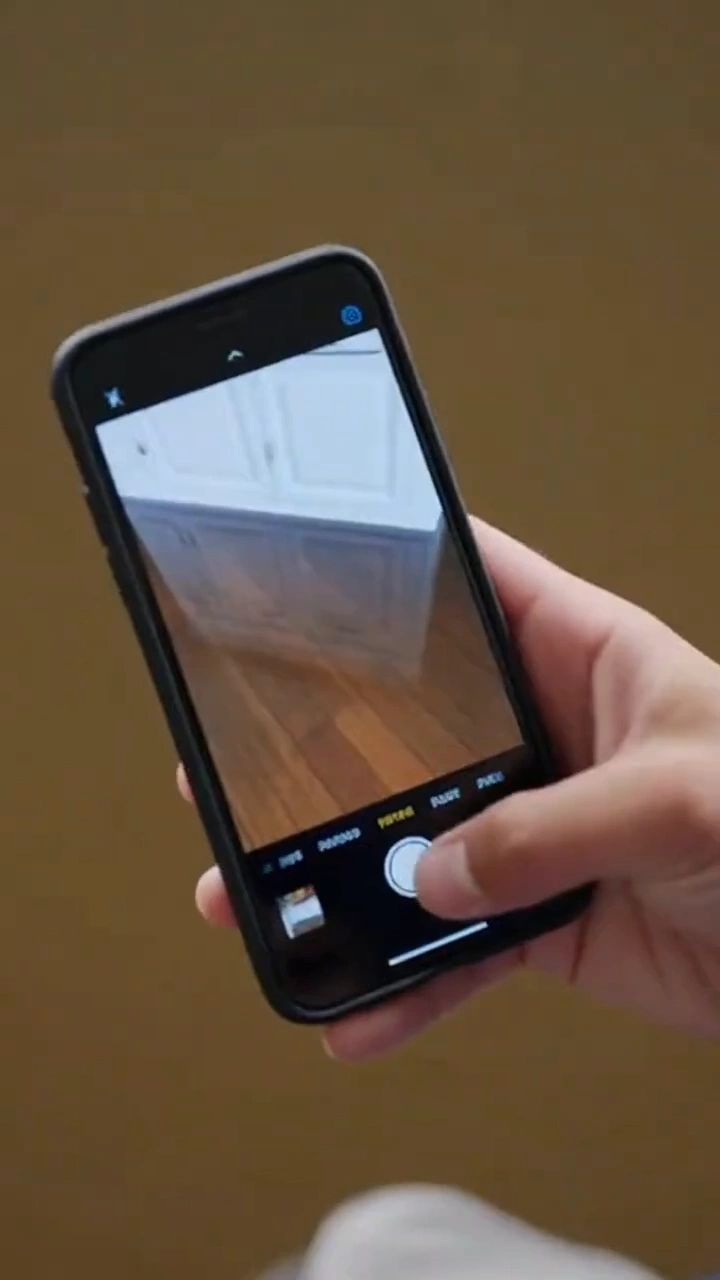
Scan the loss with the iPhone or iPad you already carry.
Evidence-First Documentation
Where finished jobs get stuck
The job is done. The file isn't.
The crew dried the structure days ago. The file is still in the office: no sketch, a reading that never got logged, hundreds of photos to sort. Until it is complete, nothing goes out the door, and you are making payroll on work you have not billed.
Where a Finished Job Stalls
"Where's the sketch?"
One missing reading, One stalled file
One missing reading, One stalled file
The person building the invoice was never on the job. If it is not in the file, it did not happen.
One missing reading, One stalled file
One missing reading, One stalled file
One missing reading, One stalled file
Requirements keep tightening. A gap you could have closed on site turns into a week of back and forth.
You carry the float
The part you control
The part you control
In a 2026 industry survey, 3% of restoration companies said insurance payment arrived within two weeks. More than 18% waited over eight weeks. Source: Cleanfax 2026 Restoration Benchmarking Survey.
The part you control
The part you control
The part you control
RestoreAI does not control when an adjuster pays. Nobody does but the adjuster. It handles the part you own: a complete file, out the door, the first time.
One walk through the loss. One file.
1. Walk the Loss
2. Review the Draft
2. Review the Draft
Scan each room with LiDAR. Take the photos. Pin moisture readings and equipment to the room they belong to. Talk through what you see, in English or Spanish.
2. Review the Draft
2. Review the Draft
2. Review the Draft
RestoreAI builds the 2D and 3D sketch and drafts the scope. Each line shows the evidence behind it and is tested against written rules. Your estimator edits it, approves it and owns it.
3. Send One File
2. Review the Draft
Xactimate Compatible
Scope, sketch, photo report, moisture log, equipment log and field notes, in the order an adjuster expects to read them. No 360 camera. No tripod. No waiting on a floor plan.
Xactimate Compatible
English and Spanish in the Field
Xactimate Compatible
A RestoreAI sketch transfers into Xactimate, so your estimator starts from real dimensions and not a blank page. Sketch transfer is running with design partners who hold their own Xactimate license. Your estimator prices and finalizes the estimate there.
English and Spanish in the Field
English and Spanish in the Field
English and Spanish in the Field
Your techs talk through the loss in the language they think in. The office reads it in English. The original note is kept beside the translation.
Originals Stay Untouched
English and Spanish in the Field
English and Spanish in the Field
Photos are never edited or generated. Original field notes are kept beside any enhanced or translated version, so anyone reviewing the file can see both.
Every line answers Three Questions
Cause of Loss
Extent of Damage
Extent of Damage
What happened and where it started.
Extent of Damage
Extent of Damage
Extent of Damage
What was affected, measured and photographed.
Proof of Work
Extent of Damage
Tied to the Standard
What your crew did, with what equipment, for how long.
Tied to the Standard
Built so Anyone can Check it
Tied to the Standard
References to the current ANSI/IICRC S500 standard sit beside the line they support. RestoreAI references the standard. Your certified people apply it.
Checked Before it Ships
Built so Anyone can Check it
Built so Anyone can Check it
Every line is tested against written rules before it reaches your estimator. Anything that fails goes to a person.
Built so Anyone can Check it
Built so Anyone can Check it
Built so Anyone can Check it
Open any line and see the photo, reading or measurement behind it. Your estimator can. So can the adjuster.
What RestoreAI will never do
No coverage opinions
No coverage opinions
No coverage opinions
It never interprets a policy or says what is covered.
No price arguments
No coverage opinions
No coverage opinions
It never states what an insurer owes or argues a price.
No negotiating
No coverage opinions
No altered photos
It never negotiates, and it never contacts a carrier or adjuster for you.
No altered photos
No unsupported scope
No altered photos
It never edits, enhances or generates a photo.
No unsupported scope
No unsupported scope
No unsupported scope
It never adds a line the evidence does not support.
Nothing sends itself
No unsupported scope
No unsupported scope
Nothing leaves until a person at your company approves it. A packet documents. It never negotiates.
Reviewing a RestoreAI packet?
Every line traces to a photo, a reading or a measurement you can open. Here is how to read one, and what the software will never do.
Credentials and Programs
IICRC Certified Firm · SDVOSB · RIA · NVIDIA Inception · AWS






We are taking a small number of design partners.
We work on site with every design partner, so the number is limited by our own hours. Partners get the founders' cell numbers, a say in what gets built next, and founding terms in writing. It is a 90-day path from design partner to full license. No non-compete.
Ghostdog Systems, Inc.
Copyright © 2026 Ghostdog Systems, Inc. All rights reserved. RestoreAI documents and organizes evidence. It does not interpret coverage, negotiate claims or act as a public adjuster. Xactimate is a registered trademark of Xactware Solutions, Inc. No affiliation or endorsement is implied.
IICRC Certified Firm · WRT-Certified Team · SDVOSB